2015-06-10

Stop Thirteen Degrees Ads - Helpful Instruction to Remove Adware

About Thirteen Degrees

Thirteen Degrees is in the big family of adware created by SuperWeb LLC company. Though it advertises to offer coupons and deals to enhance your browsing experience, you are advised to remove it to stop annoying ads.
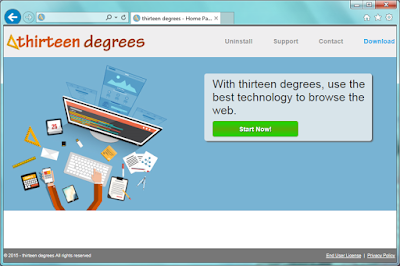
The links offered by Thirteen Degrees are questionable in security, most of them are even malicious sites with bad reputation. If you are attracted and click to these sites, your PC’s safety would be in great danger. Malware will be installed automatically into your PC without your knowledge, they will mess up your system.

Thirteen Degrees also keeps your trace of online activities. Your confidential data like passwords and banking information could be leaked out. Your online habits like preferred sites will be collected and sent to the third party for commercial purpose.
To stop being redirected and getting unwanted ads, you should remove the adware in efficient ways.

2015-06-09

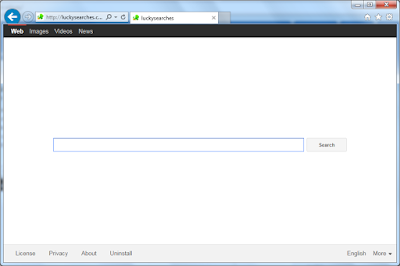
Hijacked by luckysearches.com? - How to Fix Your Browser

About luckysearches.com

If you find your browser's default homepage is modified to luckysearches.com, you are not so lucky. It's a typical browser hijacker.


Luckysearches.com secretly change the default homepage of your browser after you visited some malicious sites or installed freeware blindly. Users find it difficult to reset the browser, no matter how they try, they just can't make the homepage as previous ones.

Search results will be replaced by sponsored links and other junk information instead of ideal results. Unfamiliar sites may be added in your Favorite without your knowledge. The redirecting feature of this hijacker is the main reason why it's unwelcome.

To stop being redirected and getting unwanted ads, you should remove the hijacker in efficient ways.

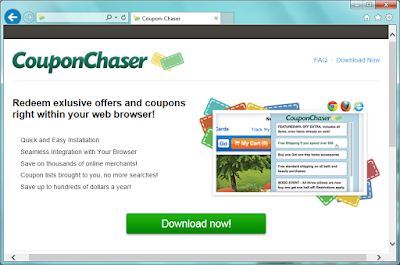
Remove CouponChaser Step by Step - Useful Removal Guide to Deal with Adware

Information about CouponChaser


CouponChaser is a plugin for Google Chrome, Mozilla Firefox and Internet Explorer. Its pop-up comes when you try to browse shopping sites. Some users think it helpful, but most people treat it as an adware.


Users may download CouponChaser from its homepage, or it can be bundle in third party installations. Once it get into your computer, it works like a toolbar. It displays related coupons, products comparisons, suggested price and other services according your visiting page. However its recommendation are not really the most suitable ones to you. Users found that this adware show its related products, rather than giving you the right advise. What's more, the ads it provides often redirect users to dubious sites. You had better not visit them in case of malware or virus infection. CouponChaser also generates pay-per-click revenue.To achieve the purpose, CouponChaser may collect your browsing history to know your concerned search terms. You should consider removing it completely for the sake of your computers security.

2015-06-08

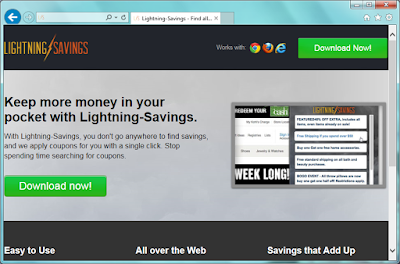
Lightning-Savings: Shopping Helper or Annoying Adware? - Remove Lightning-Savings Ads Easily

Information about Lightning-Savings


Lightning-Savings is an adware. It has versions for Google Chrome, Mozilla Firefox and Internet Explorer. Although it advertise to save your money during online shopping, the frustrating ads can't be ignored.


Lightning-Savings pops up after you install it on your browser. It displays related coupons, products comparisons, suggested price and other services according your visiting page. It looks convenient to shopping lovers. But what you should know is, the products are always recommended for promoting, rather than helping you to get the best ones. The ads it offers are usually linked to dubious sites. You had better not visit them in case of malware or virus infection.

Lightning-Savings generates pay-per-click revenue.To achieve the purpose, Lightning-Savings may collect your browsing history to know your concerned search terms. You will see that the ads are associated to your preferred things. You should watch out about your private privacy.

Users may download it from its homepage, believing in its slogan"Keep more money in your pocket with Lightning-Savings". Or it can be bundle in third party installations. In either way you get it, you should consider removing it completely for the sake of your computers security.

Remove Xaven Ads - Stop Browser Ads in Efficient Ways

About Xaven


Xaven is a browser plugin. It claims to enhance your browsing experience, save your money and time. However users should notice that this is an adware, if you keep it on your browser, you will suffers numerous ads.


Xaven has versions for Mozilla Firefox, Google Chrome and Internet Explorer. It spread in bundling ways, hidden in the installations of third party freeware. Or users may be attracted by its homepage and install it.

2015-06-05

How to Get Rid of Unwanted Adware - Top-That Ads Removal Guide

Information about Top-That 


Top-That is an adware. If you download it for its slogan "Taking your browsing experience to the top", you will regret.


Top-That is not a helpful plugin. On the contrary it brings advertisements to bother you. You will see pop-ups, banners and other kind of advertisements. To achieve the purpose of promoting related programs and services, Top-That may collect your browsing history to know your concerned search terms, then deliver targeted ads to you. Do not mistakenly believe that the extension is helping you, watch out about your private privacy instead.
This program is unwelcome also because it is promoted in bundling way. When users install some freeware, this application can be added on your browser as an additional one as well.

Useful Tips to Deal with freefunsoft31.com Pop-ups - Get Rid of Bogus Update Page

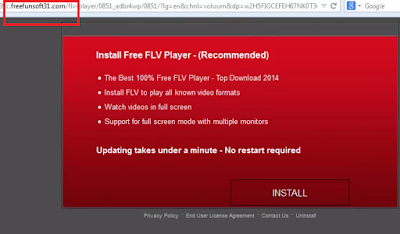
Free FLV Player? Don't believe it 


Pop-ups of freefunsoft31.com domain comes suddenly on Firefox, IE, Chrome and some other common browsers. It recommends you to install the free FLV player, but you should know it is totally a trick.
 It is a fake update reminder offered by an adware. This message aims to treat you to download dubious programs and earn pay-per-download revenue. If you are cheated and click to down, you may get unwanted programs that are harmful to your PC. You should visit the official site, or use some reliable managing software to get standard updates.


freefunsoft31.com adware comes bundled with freeware installations, or it can be spread via hacked pages and malicious sites. Users should be careful. When you see similar pop-ups, you should try reliable AV program to scan your computer and remove this adware in time.