2015-07-01

How to Remove RopeInSavings Ads Completely - Guide to Remove Adware from Your Browser

Introduction to RopeInSavings


RopeInSavings is classified as an adware. It always comes to your browser bundled with third-party freeware. This plugin claims to offer best deals by searching coupons and discount for users. However, you should know that it actually promotes the related deals to profit from the sponsored party, rather than helping you to find the best products and discount.

User will see different ads with the labels of RopeInSavings. So the adware generate pay-per-click revenue. To achieve its purpose, the adware may collect your browsing habits including preferred sites and recent search terms, so that it can send targeted ads to attract your attention. If users feel interested and click the ads, the supporters of the ads benefit from the increased web traffic.

RopeInSavings' promoting ads are not reliable, they may be linked to dubious sites and you will get unwanted ads downloaded if you blindly click on them.

Take actions to remove the adware following the instruction below:

2015-06-30

Isearch.omiga-plus.com Hijacker Removal Instruction - Get Rid of Browser Hijacker Step by Step

About isearch.omiga-plus.com

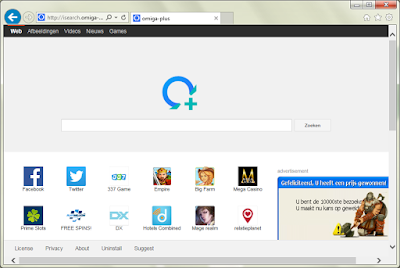
isearch.omiga-plus.com is not a right choice to be a default homepage, however some user have to see it every time they open the browsers. This browser hijacker comes on IE, Chrome and Firefox, victims have to suffer banners and pop-ups from it.


Possible symptoms of  isearch.omiga-plus.com
  • Isearch.omiga-plus.com becomes the default homepage.
  • It changes your browsers' setting and you can't reset them successfully.
  • The search engine of it offers limited search results instead of useful information.
  • Ads flood the browser, most of them are linked to dubious sites.
  • Unwanted toolbars and plugins are brought.
  • Strange sites are added to your bookmarks.
  • Browser works more and more slowly.

Window-fullscan.com Pop-up Removal Tips - Watch Out for Fake Norton Virus Warning

Call 0-800-112-0034? Don't be fooled 

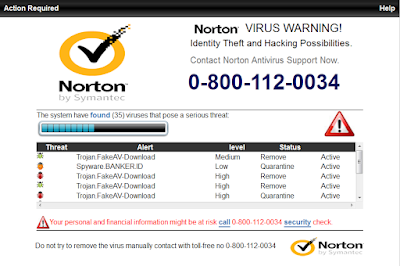
Window-fullscan.com domain has a deceptive name. When users see the page with the title of Norton Virus Warning, they will be misled to believe there are horrible viruses in the computer, and call the offered number 0-800-112-0034 hastily.


You should know that this window-fullscan.com pop-up is a fake message by an adware. You will be asked to pay for the fake tech support or even get an expensive telephone bill.
The listed viruses do not exist in your computer. You can use a reliable scanner to check your PC instead of calling a dubious number.
Such adware come to your browser if you visited sites with bad reputation or installed questionable freeware. The malicious codes will modify your browser setting and make Window-fullscan.com come every time you open your browser. You should take actions to remove the adware, otherwise the pop-up will keep coming again and again.

Idkso.com Pop-up Removal Instruction - Look Through 855-583-0319 Scam

About idkso.com Pop-up

Idkso.com domain page can hijack your browser easily. Every time you open the browsers, a pop-up you will see a warning page, describing there are viruses on your computer and advising you to call 855-583-0319 instantly.


When you see similar message like this, you should use a reliable scanner to know the real security condition of your PC instead of calling a dubious number. You should know that this idkso.com pop-up is a fake message by an adware. You will be asked to pay for the fake tech support sooner or later, or even get an expensive telephone bill. This adware can be brought if you visited malicious sites, or it is bundled with other freeware installations. This page will keep disturbing you until you remove it completely.

LotteryStream Toolbar Remove Help - Get Rid of home.tb.ask.com hijacking

Know about LotteryStream

LotteryStream is a browser plugin which has different versions for popular browsers like Mozilla Firefox, Internet Explorer and Google Chrome. Users may be attracted by its homepage, which claims to help users get latest lottery numbers conveniently. But you should be careful that this a PUP (potential unwanted program) for some reasons.


LotteryStream is also promoted bundled with freeware which have poor reputation. Once it comes to your browser, it will probably modify your default homepage and search engine during installing. Users found that their default homepage was changed to home.tb.ask.com automatically. 
This search engine offers limited search result, users get less useful information. On the contrary, ads and sponsor links flood your browsers. Users have to bear related ads every now an then. The toolbar is also trying to promote other harmful programs to earn pay-per-click revenue, some of them are detected to be dangerous.

Useful Tips to prevent such unwanted programs:

  • Keep away from dubious sites.
  • Use powerful AV programs
  • Do not open spam mails
  • Visit standard page to get safe software

2015-06-29

Refuse Annoying Ads - How to Remove RePrice from Chrome

Know about RePrice Ads


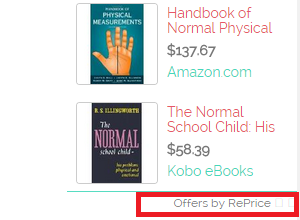
RePrice is classified as an adware. It is a plugin designed for Chrome. Once it is installed on your browser, you will see pop-up with labels like "offers by RePrice" on usual pages, promoting its related products.
This adware has an official homepage, but most users get it without their consent. The adware can be hidden in freeware installations, if you blindly click on every step to agree all the additional setting, your browser will probably get it secretly.
The non-stop ads and the questionable promoting method are the main two reasons why it is unwelcome. what's more, as this plugin never miss a chance to show its ads, you will have to spend more time in uploading a new page. 
Obviously RePrice is unnecessary at all and you should remove it to have a better browsing experience.

2015-06-28

Take Actions to Remove WebSparkle Ads - Remove Adware from Your Browser Step by Step

How does WebSparkle work


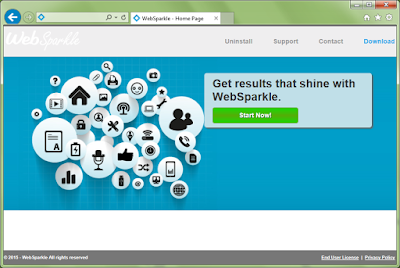
Although WebSparkle has an official homepage, generally users get it bundled with third-party freeware. This adware pretend to be a useful plugin that can enhance your browsing experience, but most users get bored about it non-stop ads displayed on browsers.
Pop-up, banners and boxes with labels as "Ads by WebSparkle" keep coming. They are not helpful to users' online shopping at all.
The ads seem related to your recent search terms, which makes them attractive. Do not believe this adware is helping in finding related coupons. It records your search terms and other browsing history, just for delivering associated ads and profits from the web traffic.
Avoid clicking the sponsored ads. Some of them may redirected you to pages with malicious codes and you will get unwanted programs downloaded. 

Take actions to remove the adware following the instruction below: