2015-08-14

Theperfectupdate.org pop-up Removal Help - Guide to Stop Bogus Media Player Update Message

What is Theperfectupdate.org pop-up

Theperfectupdate.org domain page comes to users' browsers as a pop-up. It claims that you need to update the media player to get best performance. However, once you download what it offers, you will be the victims of a scam.
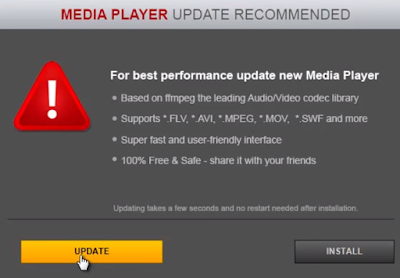

This message is provided by the adware on your browser. It tries to earn pay-per-download revenue by misleading users to download some junkware, or anything else but real video players. Your browsers' setting can be modified without your knowledge. The modification was probably done by malicious sites you visited, or malware and trojans in your computer. As long as the malicious plugins are on your browsers, the pop-up will keep coming to disturb you again and again. Try to remove it in right ways.

2015-08-13

v9.com Browser Hijacker Removal Tips - Remove v9.com Hijacking Easily

What is v9.com

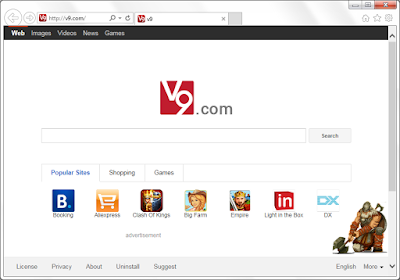
V9.com has a simple domain name, however its page is quite messy. Shortcuts and sponsored links cover the page, it is quite convenient to use this page to search. Actually it is not recommended to keep this site as your homepage because of its harmful traits. Even though, many users have to see this page because their browsers are hijacked.


v9.com hijacking is malicious:
  • v9.com takes place of your default homepage without permission. 
  • It offers search results of Yahoo engine, which are full of ads and sponsored information.
  • Unwanted programs and plugins are brought by these links.
  • Strange sites are added to your Bookmarks and Favorite.
  • Your search terms can be collected so that related ads appear in the search results.
  • The hijacker also brings related adware, pop-ups can be seen on browser frequently.
Obviously this hijacker should be remove timely.

Pcnewupdate.com Pop-up Removal Tips - Guide to Stop Fake Media Player

About pcnewupdate.com Pop-up

Pcnewupdate.com domain pretends to be a normal media player update, misleading users to download what it offers. The pop-up comes frequently on infected browsers like IE Firefox and Chrome. No matter what it says, you should not download anything from it.


In fact, pcnewupdate.com offers suspicious program instead of real Java updates, and most of them are detected to be quite dangerous. If users get cheated by it and download more unwanted programs, they will have to bear poor computer performance. This adware can be brought by malicious sites, or it is bundled with other freeware installations. The same pop-up will keep disturbing you unless you remove it completely.
You can read the rest of this article to learn to remove it effectively.

2015-08-12

Reasons to Refuse Skyrocket Player - Distinguished Possible Unnecessary Program

What is Skyrocket Player

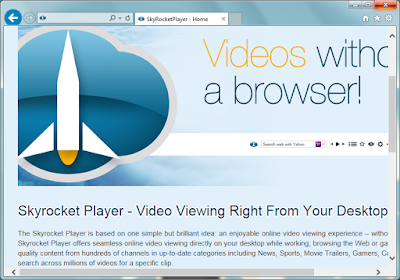
Skyrocket Player says it can offer "An enjoyable online video viewing experience", but it is not as good as it claims to be. Actually it is a possible unnecessary program for some negative traits.


Skyrocket Player is responsible for the pop-ups, floating boxes an banners displayed on your browsers. To catch your eyes, the adware will also deliver customized ads according to your browsing habits like search terms and visited URLs. You had better not click on the ads it offers, they may redirected you to dubious sites and you will get more unwanted programs downloaded. What's more, the adware is probably related to browser hijackers. Some users reported that their default homepage were modified without permission after they installed Skyrocket Player.

It is obvious that this plugin brings troubles more than convenience. Try to get rid of it step by step:

See Through Rogue Scanner - Veyerus-scanner-alert.is Pop-up Removal Steps

Veyerus-scanner-alert.is pop-up is a scam

veyerus-scanner-alert.is pop-up is a rogue scanner. It keeps coming on users' browsers and offers fake detected reports. You should believe nothing from this page, otherwise you will be taken in scams. This is actually a malicious ad, which aims to promote related service and programs. If you really care about your PC's security condition, you are suggested to use a reliable scanner, rather than calling dubious numbers or other actions following the misleading pop-up.

How does this pop-up come?

Your browsers can be hijacked by related malicious plugins when you install some malware. You should be careful with the default setting of some freeware. Trojans and other virus can also drop it to your PC.

2015-08-11

"Call 855-993-4121 is a scam" - Stop Internetprivacymatters.info Pop-up

What is internetprivacymatters.info

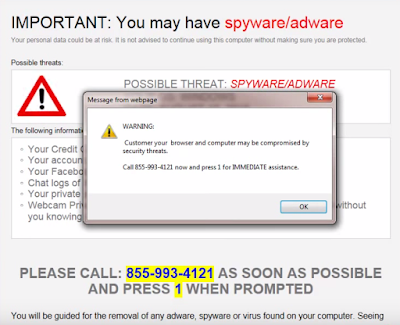
Internetprivacymatters.info pop-up is a malicious page, it may hijack users' browsers. Some victims are forced to see this its message as long as they open the browser, and they are taken in scams by calling the given number 855-993-4121. Though the message is describing the bad condition of your computer, you can't believe a word from it.

Victims who call the given number will be required to purchase removal tools or services to remove the so-called threats. Actually the listed problems do not exist in your PC. You are recommended to rely on reputable scanners instead of calling a dubious number. If you are troubling by its hijacking, you can read this blog to get rid other it permanently.

Downloadablesoftware10.com Removal Help - Guide to Stop Fake Video Player Message

Be careful of downloadablesoftware10.com

Recently a player recommendation is seen on common browsers like IE, Chrome and Firefox. When you see a dubious pop-up recommendeding player, be careful. If its domain name contains Downloadablesoftware10.com there is no doubt that it is a malicious ad.

This message is provided by the adware on your browser. The adware is trying to earn pay-per-download revenue by misleading users to download some junkware, or anything else but real video players. Your browsers' setting can be modified without your permission, and such malicious pop-up comes as long as you open your browser or a new tab. The modification was probably done by malicious sites you visited, or malware and trojans in your computer. Anyway, what you need to do is to remove the adware and clean up your browser in right ways.