2015-09-10

Guide to Block PlayGEM Ads - Adware Removal Help

What is PlayGEM

No matter how it advertise itself, PlayGEM is nothing but an adware. This adware can be downloaded on its official homepage by game fans, or it can be hidden in the installations of other freeware. It is responsible for the banners and pop-ups ads on your browsers, even you can see the sponsor information in the search results. It sends these ads to earn pay-per-click revenue. For this purpose, PlayGEM keeps an eye on your browsing habits like cookies, search terms, typed URLs and preferred sites. For example, if you had search for "watch" on your Google, PlayGEM may get this word and keep delivering targeted ads to attract your attention. You will see different kinds of ads about watches. Sometimes this feature causes embarrassment or even leads to privacy leaked out, when you want to keep a secret about what you searched.


2015-09-09

Haunting Ads by Sizlsearch - How to Stop them from Chrome/ IE / Firefox

What is Sizlsearch

Sizlsearch claims to be able to enhance user's browsing performance, like searching the web for comparing online deals and finding the best price. It has different versions for Chrome, IE and Firefox so it can appear on most of your browsers. However, this plugin is not welcome, because its questionable promoting method and the unpleasant problems it brings.


Sizlsearch may come to your browsers as an addition of third-party freeware, so many users have no idea about its existence until these problems are found:
  • Sizlsearch displays ads including pop-ups, banners and floating boxes, they grab every chance to show you the promoting information.
  • Browser hijackers can be brought. Users found their browsers' default homepages are locked as the unwanted sites. It is difficult to remove. 
  • It may record your browsing habits like preferred sites, typed URLs and recent search terms, in order to deliver targeted ads and earn pay-per-click revenue.
  • Redirects happen frequently, especially when users try to click the ads to know about their concerned information.
  • Browsers performance are reduced. It takes longer to reload the unnecessary information.
Users should remove this adware immediately to prevent potential risks. You can try the removal tool to remove it quickly or read the rest of this blog and operate following the instruction.


Groover - Reasons and Method to Get Rid of It from Your Computer

What is Groover

Groover looks like a handy tool because it offers convenient functions of listening to pop music, saving money for online shopping and so on. However, it is classified as an adware. You should know some negative traits of it and reconsider if you need to keep it.
Groover is complained about for these reasos:

  • It will redirect your browsing frequently to dubious sites and lead to browser hijacked. 
  • It may keep a record of your browsing history to deliver targeted ads. Your privacy online can be leaked out.
  • It slows down your browsers' performance. They may work sluggishly like a snail.
  • It can add a task secretly to ensure its updating, which leads to the reduce of your computer performance. 

Compare to its functions, the negative traits of Groover is much more annoying. Since it is always spread bundled with third-parties, you probably don't need it at all. Removing this adware to prevent possible problems is quite necessary.

>>> Get a free scanner to see if there are other threats in your PC <<<

Easy Ways to Get Rid of ZoomCheck Ads from Your IE/ Chrome / Firefox

What is ZoomCheck

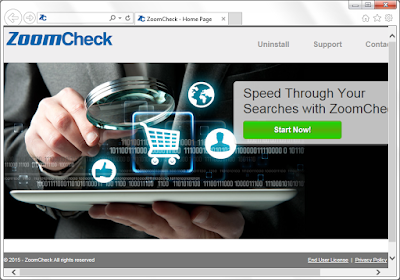
ZoomCheck advertises itself as a helpful plugin in offering coupons and discounted deals to enhance your browsing experience. Users may get it from its official site, attracted by the slogan"Speed Through Your Search with Zoomcheck". Generally it is spread bundled with other freeware.


ZoomCheck brings these problems:

  • Instead of convenient information, ZoomCheck brings ads in the form of pop-ups, banners and floating boxes. They affect your browsing experience badly.
  • It is reported that ZoomCheck can be related to some browser hijackers. Your default homepage can be locked and you can't set your preferred pages easily.
  • The ads and the hijackers by it redirect users to dubious against your will. More unwanted programs are installed without permission.
  • It may record your browsing habits like preferred sites, typed URLs and recent search terms, in order to deliver targeted ads and earn pay-per-click revenue.
  • Your browsers can be slowed down because of the unwanted information.
Users should remove this adware immediately to prevent potential risks. You can try the removal tool to remove it quickly or read the rest of this blog and operate following the instruction.


2015-09-08

Eliminate S.admathhd.com Pop-up - Best Solutions to Deal with Annoying Pop-up Ads

What is S.admathhd.com

S.admathhd.com pop-up can be seen on different common browsers like Firefox, Chrome or IE.
Victims will probably see these symptoms:

  • The browsers are hijacked. S.admathhd.com pop-up keeps coming as soon as they open then infected browsers.
  • Your browsers works slowly like a snail. They freeze or even stop working frequently.
  • Your browsing get redirected to suspicious sites against your will.
  • Some anti-virus programs can detect the threat but failed to stop it permanently.  
  • Unwanted programs are brought to your computer without your permission, including plugins and toolbars.
In fact, your browsers is probably being threatened by malicious adware. It is proved that S.admathhd.com pop-up contains NeoSploit Exploit Kit. It takes advantage of vulnerabilities in the some related programs, and attack your computer secretly. As a result, users get more and more unwanted programs, even viruses like trojan are send to your computer.

2015-09-07

How to get Rid of Esurf.biz Redirects - Delete Browser Hijacker from Your IE/ Chrome / Firefox

What is Esurf.biz

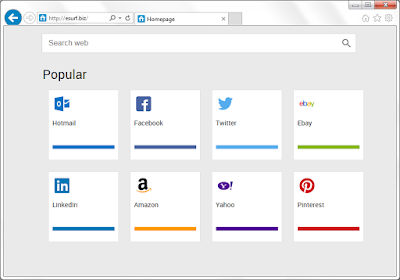
Esurf.biz is a free search engine, which offers different shortcuts on it. Even though it has an interesting design, you should know about the negative properties of it and reconsider that if you need this page.


Harmful traits of Esurf.biz you should know about:
  • It locks your default homepage and search engine. 
  • It redirects users to Google search results, which takes extra time.
  • The shortcuts cover the page and it is had to avoid being redirected.
  • You can see unwanted plugins and toolbars brought by the hijacker, without your permission.
  • Ads are can be seen as pop-ups and banners.
  • More unwanted information are send to bother your browsing experience.
It is obvious that this browser hijacker will bring much more troubles than convenience.

Watch Out for "Windows Virus Warning" Scam on gkts.co Domain Page

What is gkts.co

Gkts.co domain page comes with a pop-up. It looks horrible with the title of "Microsoft Warning" and lists some viruses, claiming that your computer are infected with them. It suggests users to call a tech support line 1-877-775-4147 to fix the problems.


You can not be fooled. This is a bogus warning message, the so-called virus do not exist in your PC. Once you call the offered number, you will be required to pay for some removal tools or services. You will even get trojans if you do as it says, then your online banking information will be leaked out and suffer great loss. This is obviously a scam which targets inexperienced users. You need to remove all the malicious plugins and reset your browsers to stop the annoying pop-up permanently.