2015-06-11

Scam of red-error-fix.com - Stop Bogus Warning Page from Bothering

About Red-error-fix.com warning 

" A page of red-error-fix.com pops up when I tried to open my homepage. It looks horrible, says that my computer may be infected. Should I call the given number 1-844-312-8674? "
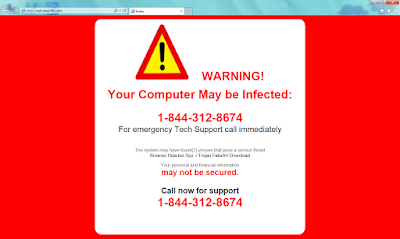

A experienced user will use a reliable scanner to check his computer. However, this is exactly a fake warning page by an adware, targets inexperienced computer users. Do not call the number, you will be required to pay for the tech support sooner or later.

Red-error-fix.com adware comes if you had visited sites with malicious code, or it is bundle with freeware, even trojans and worms may bring it. If you don't remove the related adware, this pop-up will not stop coming.

What you can do to avoid such adware:


  1. Avoid visiting dubious sites
  2. Use powerful scanner to know the real security condition of your PC
  3. When install freeware, be care about what you agree to.


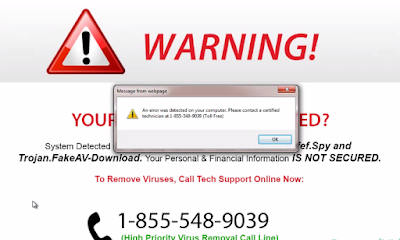
Call 1-855-548-9039 For Tech Support?- Don't be Fooled by storagee.info Pop-up

Scam of Storagee.info 

A pop-up of storagee.info domain comes all of a sudden on IE, Firefox and Chrome, saying that system may have detected viruses on your computer, and advises you to call 1-855-548-9039 for help.However this is just a bogus alert provided by an adware. There is no need to become panic.
If you worry about your computer's security and call the offered number hastily, you will be required to pay for the so-call tech support sooner or later.


Storagee.info adware is always bundled with dubious freeware installations, or it can be taken by malicious sites. Once this page pops up, it will keep disturbing you until you remove it. You had better use some professional AV programs to eliminate it permanently, and avoid visiting pages of poor reputation.

2015-06-10

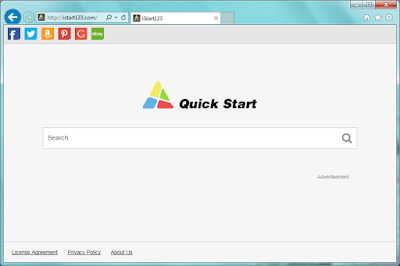
How to Fix Browser Hijacked by istart123.com? - Best Methods to Remove Browser Hijacker

About istart123.com


Victims' description :
"My browser's default homepage was modified to istart123.com, I tried to set Google.com again but the browser setting doesn't work."
"Search results on my browser looks strange. I can only see sponsored links and annoying advertisements."
"I found some unfamiliar sites are added to my bookmarks without my knowledge. I opened them and noticed they are some malicious sites."

If you have the similar problems, there is no doubt that your browser is hijacked by istart123.com. It can secretly change the default homepage and redirects your browsing.
This browser hijacker comes to your browser after you visited some malicious sites or installed freeware blindly. Search results will be replaced by sponsored links and other junk information instead of ideal information.

Stop Thirteen Degrees Ads - Helpful Instruction to Remove Adware

About Thirteen Degrees

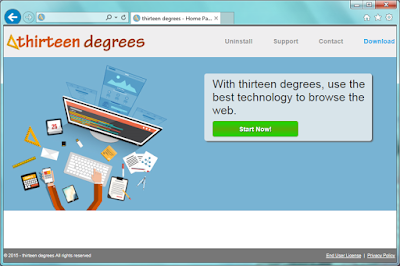
Thirteen Degrees is in the big family of adware created by SuperWeb LLC company. Though it advertises to offer coupons and deals to enhance your browsing experience, you are advised to remove it to stop annoying ads.

The links offered by Thirteen Degrees are questionable in security, most of them are even malicious sites with bad reputation. If you are attracted and click to these sites, your PC’s safety would be in great danger. Malware will be installed automatically into your PC without your knowledge, they will mess up your system.

Thirteen Degrees also keeps your trace of online activities. Your confidential data like passwords and banking information could be leaked out. Your online habits like preferred sites will be collected and sent to the third party for commercial purpose.
To stop being redirected and getting unwanted ads, you should remove the adware in efficient ways.

2015-06-09

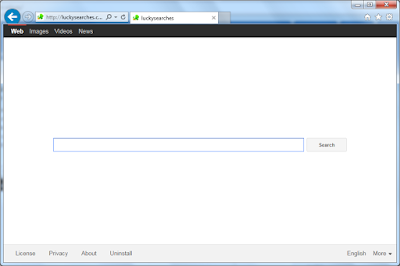
Hijacked by luckysearches.com? - How to Fix Your Browser

About luckysearches.com

If you find your browser's default homepage is modified to luckysearches.com, you are not so lucky. It's a typical browser hijacker.


Luckysearches.com secretly change the default homepage of your browser after you visited some malicious sites or installed freeware blindly. Users find it difficult to reset the browser, no matter how they try, they just can't make the homepage as previous ones.

Search results will be replaced by sponsored links and other junk information instead of ideal results. Unfamiliar sites may be added in your Favorite without your knowledge. The redirecting feature of this hijacker is the main reason why it's unwelcome.

To stop being redirected and getting unwanted ads, you should remove the hijacker in efficient ways.

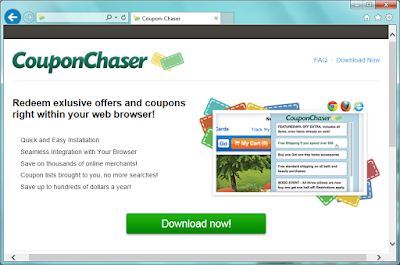
Remove CouponChaser Step by Step - Useful Removal Guide to Deal with Adware

Information about CouponChaser


CouponChaser is a plugin for Google Chrome, Mozilla Firefox and Internet Explorer. Its pop-up comes when you try to browse shopping sites. Some users think it helpful, but most people treat it as an adware.


Users may download CouponChaser from its homepage, or it can be bundle in third party installations. Once it get into your computer, it works like a toolbar. It displays related coupons, products comparisons, suggested price and other services according your visiting page. However its recommendation are not really the most suitable ones to you. Users found that this adware show its related products, rather than giving you the right advise. What's more, the ads it provides often redirect users to dubious sites. You had better not visit them in case of malware or virus infection. CouponChaser also generates pay-per-click revenue.To achieve the purpose, CouponChaser may collect your browsing history to know your concerned search terms. You should consider removing it completely for the sake of your computers security.

2015-06-08

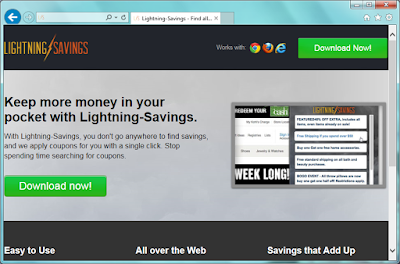
Lightning-Savings: Shopping Helper or Annoying Adware? - Remove Lightning-Savings Ads Easily

Information about Lightning-Savings


Lightning-Savings is an adware. It has versions for Google Chrome, Mozilla Firefox and Internet Explorer. Although it advertise to save your money during online shopping, the frustrating ads can't be ignored.


Lightning-Savings pops up after you install it on your browser. It displays related coupons, products comparisons, suggested price and other services according your visiting page. It looks convenient to shopping lovers. But what you should know is, the products are always recommended for promoting, rather than helping you to get the best ones. The ads it offers are usually linked to dubious sites. You had better not visit them in case of malware or virus infection.

Lightning-Savings generates pay-per-click revenue.To achieve the purpose, Lightning-Savings may collect your browsing history to know your concerned search terms. You will see that the ads are associated to your preferred things. You should watch out about your private privacy.

Users may download it from its homepage, believing in its slogan"Keep more money in your pocket with Lightning-Savings". Or it can be bundle in third party installations. In either way you get it, you should consider removing it completely for the sake of your computers security.