2015-07-17

LeapSense Adware Removal Tips - Get Rid of Annoying ads Easily

What is LeapSense

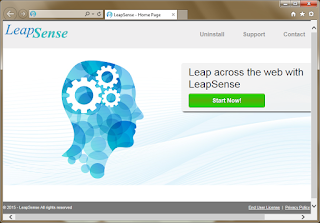
LeapSense is a plugin for Google Chrome, Mozilla Firefox and Internet Explorer. It claims to offer users convenient online shopping help, but most people think it as an annoying adware. It can be bundled in third party installations, which makes it easily to get to your computer easily.


Once LeapSense get into your computer, it displays related coupons, products comparisons, suggested price and other services according your visiting page. However its recommendation are not really the most suitable ones to you. Users found that this adware show its related products, rather than giving you the right advise. The ads offers by it are always linked to dubious sites like freeware center, you may get unwanted programs downloaded by blindly clicking on them.
What's more, LeapSense may also collect your browsing history to know your concerned search terms, so that it can deliver targeted ads to get pay-per-click revenue.The ads it provides often redirect users to dubious sites. You had better not visit them in case of malware or virus infection. 

Securitywarning.info Pop-up Scam - Stop Browser Pop-up Easily and Completely

What is securitywarning.info pop-up

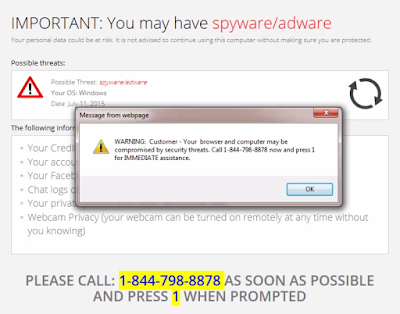
Securitywarning.info page comes when you try to visit common pages, saying that your browsers need to be fixed and you are advised to call 1 844 798 8878.

Securitywarning.info pop-up is tricky, its domain name contains "Security" and "Warning" makes users believe it is a real security alert. You must know that such an alerting message is bogus, it is provided by an adware. If you as it says and call the offered number, you will be taken in scams, like paying for the non-exist threats or getting expensive telephone bills.
You should rely on reputable AV programs to protect your computer instead of believing in the so-called tech support.
Such adware come to your browser if you visited sites with bad reputation or installed questionable freeware. The malicious codes will modify your browser setting and make securitywarning.info come every time you open your browser. The right thing to do is to remove the adware and fix your browser, otherwise the pop-up will keep coming again and again.

2015-07-15

Stop Computer Chair Ads on Your Chrome/ IE/ Firefox - Remove Adware in Best Ways

What is Computer Chair


Although Computer Chair has an official homepage, generally users get it bundled with third-party freeware. This adware pretend to be a useful plugin that can enhance your browsing experience, but most users get bored about its non-stop ads displayed on browsers.
Pop-up, banners and boxes with labels as "Ads by Computer Chair" keep coming. They are not helpful to users' online shopping at all. The ads seem related to your recent search terms, which makes them attractive. Do not believe this adware is helping in finding related coupons. It records your search terms and other browsing history, just for delivering associated ads and profits from the web traffic.
Avoid clicking the sponsored ads. Some of them may redirected you to pages with malicious codes and you will get unwanted programs downloaded. 

Take actions to remove the adware following the instruction below:

Maximum-search.com Hijacker Removal Tips - Guide to Deal with Browser Hijacker Effectively

What is Maximum-search.com

Safebrowsesearch.com is a page which uses Yahoo search engine. It is not an ideal search page but many users found their default homepages are modified to it. You should know about this browser hijacker.


Besides locking your default homepage, Maximum-search.com is also unwelcome for these traits: 
  • It offers different unwanted shortcuts on it.
  • Users get unwanted programs plugins and toolbars downloaded from them.
  • Since its search results are from Yahoo search, it takes time to redirect.
  • The search results are full of sponsored information and ads
  • Strange sites can be added to your Bookmarks and Favorite when it comes.

How to Stop SnowPrice Adware on Internet Explorer/ Google Chrome / Mozilla Firefox

What is SnowPrice

SnowPrice is a browser extension, but it is not as good as it advertises. Instead of enhancing users' browsing experience by saving money, this extension bring unnecessary advertisements.

According to its description, SnowPrice ought to provide comparisons between different products and their price, the help online shoppers. However, users found that this adware offer the ads for the purpose of promoting its related products, more than helping users to get ideal ones. Actually SnowPrice probably generate pay-per-click revenue from sponsors.

To achieve its goals, SnowPrice may collect users' browsing data including typed URL, search terms and preferred sites. So that this adware can send customizing ads to attract your attention. However you should not be curious and click them, otherwise you will be redirected to dubious sites and get unwanted programs downloaded.

Macsystemsupporthelp.com Pop-up Removal Tips - See Through Fake Helpline 18559024667

Know about macsystemsupporthelp.com Pop-up


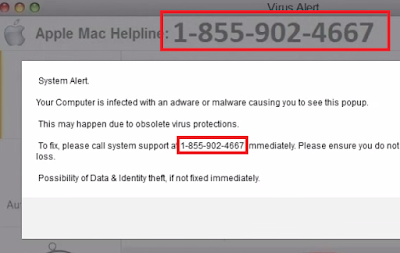
"System Alert.
You computer is infected with adware or malware causing you to see this popup.
Please call system support at 1-855-902-4667 immediately."

When you see this message from macsystemsupporthelp.com domain page, don't be panic yet. There are may be no serious malware in your computer that need a system support. However, this information  is partly right. The pop-up is caused by an adware on your computer. This is an ad to mislead users to call the offered number so that it can promote the service and programs easily.

The domain name contains "Macsystem""support"and "help", makes this page looks like a real system alert. What's more, the pop-up can't be closed easily. It makes users believe they meet serious problems and call the number. You can use a scanner to know the real security condition of your PC, instead of calling a dubious number. Otherwise you will pay for none-existed threats.

The pop-up will keep coming because your browsers' settings had been modified. The modification can be done by the freeware and trojans in your computer. You should be careful when installing programs, especially to the steps you need to agree with.  
Remove it in a quicker way : Try the recommended removal tool to detect and removal all the threats in your PC.

2015-07-14

Do Not Believe in Exclusive-rewards.7176.info - Remove Annoying Pop-p in Efficient Ways

About exclusive-rewards.7176.info Pop-up


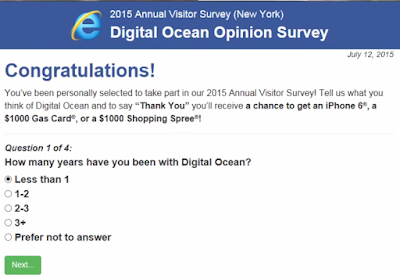
Exclusive-rewards.7176.info domain page is offered by an adware. The information on it can be quite attractive: You are the lucky one to have the chance to get a gift.

Don't get excited yet. Unfortunately this message is bogus. The main purpose of this as is to take victims in scams. There are several ways:

  • It asks you to offer your Email address. Then you will get spam mails contain trojans and worms.
  • It require you to pay for the award, you will suffer loss and get nothing.
  • It may give you a number, if call it, you still get nothing but telephone bills.

The adware probably comes bundled with freeware, or malicious pages can modify your browsers' settings to make sure the pop-up comes every time you open your browser. Believe nothing from the page and try to remove the supporting adware in time.