2015-08-07

Jabuticaba Removal Instruction - Best Way to Remove Unwanted Adware

What is Jabuticaba

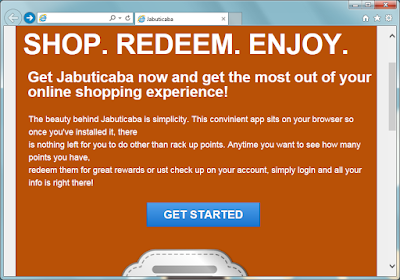
Jabuticaba says" Get Jabuticaba now and get the most out of your online shopping experience. "
It seems a helpful tool in online shopping. Jabuticaba offers "V-coins" when users do online shopping, and users can use the "V-coins" to purchase an Amazon or eBay gift card.

However it plugin is classified as an adware for reasons. User report some problems when they use Jabuticaba:
  1. Numerous ads appear on normal pages. Most of them are junk information.
  2. The pop-ups, banners and in-text ads are always related to users' recent search terms.
  3. The ads are usually linked to dubious sites. Some of them are obviously malicious.
  4. Some strange program are brought into PC without the users' knowledge. The computer works sluggishly with them.
Actually Jabuticaba profit from the sponsored products it is promoting. To achieve its purpose, this adware may collect your browsing history and habits, and deliver targeted ads to users. Your information can be used by third party for commercial purpose. To protect your private privacy, you are advised to remove this adware to prevent potential risks.


2015-08-06

Browser Ads Removal Help - Reasons to Get Rid of TermCoach

What is TermCoach

TermCoach looks like a convenient browser plugin. It can show the Wikipedia and Bing results in an in-page so that users save time of opening a new tab. However you are advised to know the negative traits of it

Once TermCoach get into your computer, it begins to work as long as the computer boots. No matter if the users need its function, it works in the background, which makes the browsing experience worse.
As an adware, it may monitor your browsing activities, and deliver customizing ads to attract your attention. You may see that pop-ups, banners and other kinds of ads are displayed on your browsers. Ads offered by TermCoach are not reliable because they may redirect you to some dubious sites. The sites may caused unwanted programs downloaded, it is a chain for the adware and other to promote each other.
To prevent possible risks, you should remove this plugin in time.

Remove only-search.com Hijacking - Only Search Hijacker Removal Tips

What is only-search.com

Only-search.com, also known as Only Search, looks like a simple search page without shortcuts and ads. However this browser hijacker is potential harmful more than you think.


Only-search.com causes these possible problems. 
  • Only-search.com takes place of your default homepage without permission. 
  • It offers search results of Yahoo engine, which are full of ads and sponsored information.
  • Unwanted programs and plugins are brought by these links.
  • Unfamiliar sites are added to your Bookmarks and Favorite.
  • Your search terms can be collected so that related ads appear in the search results.
  • The hijacker also brings related adware, pop-ups can be seen on browser frequently.
If you had installed some freeware of poor reputation, they may modify the browsers settings lead to the browser hijacking. You are advised to get rid of this hijacker and use other common pages like Google and Bing. 

2015-08-05

Protectyourprivacy.biz Pop-up Removal Tips - Stop Fake Detected Results Message

What is protectyourprivacy.biz

Protectyourprivacy.biz pop-up comes on common browsers like Firefox, Chrome and IE. It tells you that your computer have potential threats, and you need to call 844-250-7258 for emergency help.


There is only one thing right of its description: Your computer had infected with an adware. This is a rogue scanner which offering fake detected reports. If users call the given number, they will be required to pay for the tech-support or a removal tool. Victims even got trojans from it and when they try to pay online, the important information can be collected and send to the developers.
The malicious plugins which modified the browsers setting can be brought by freeware you had installed, or trojans in your computer.You should try to remove them all to stop this annoying pop-up.

2015-08-04

Be Careful about Problemsfound.com Pop-up - Rogue Scanner Removal Help

What is problemsfound.com

Problemsfound.com domain pop-up is tricky, its name mislead users effectively. Its pop-up can be seen on infected browsers including Firefox, Chrome and IE.
No matter what it says about your computers' security condition, you should not believe a word. This is a rogue scanner which offering fake detected reports. It mislead users to purchase its removal programs or services. Victims will pay for non-existed computer problems.What's more, its programs main contain trojans, if you are going to pay online, your financial information can be stolen, which leads to great loss.
Your browsers' setting can be modified without your permission, and such malicious pop-up comes as soon as you open your browser or a new tab. The modification was probably done by malicious sites you visited, or malware and trojans in your computer. Anyway, what you need to do is to remove the adware and clean up your browser in right ways.

ProductivityBoss Toolbar Removal Tips - Guide to Get Rid of Possible Unwanted Program

Know about ProductivityBoss

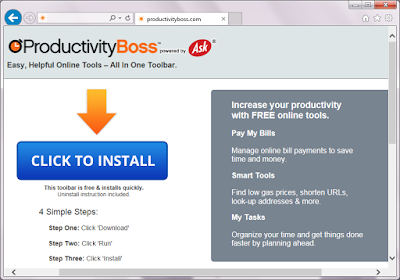
ProductivityBoss claims to be a free tool to offer convenient help in online bill paying, better price searching and some other functions. It  has different versions for popular browsers like Mozilla Firefox, Internet Explorer and Google Chrome. This plugin has an official homepage, while users probably get it bundled with third party freeware. You should know that this a PUP (potential unwanted program) for some reasons.


Once ProductivityBoss comes to your browser, it will probably modify your default homepage and search engine during installing. Users found that their default homepage was changed to home.tb.ask.com automatically. This search engine offers limited search result, users get less useful information. Ads and sponsor links will flood your browsers. What's more, the ads and sponsored links will redirect you to dubious sites, you may get unwanted programs download, it is possibly a chain to promote related products of the developer.


Avoid Downloadind from Free-fix-pc-now.be - Fake Flash Player Message Removal Tips

What is free-fix-pc-now.be

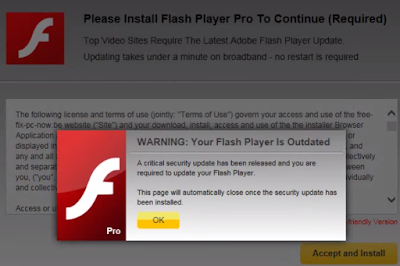
Free-fix-pc-now.be is not a real flash player recommendation message. Even though it has a tricky domain name including "Free","Fix" and "PC", it it not helpful at all to your computers. Actually, if you download what it offers, you will get unwanted programs instead of real player update. The programs are detected to be quite harmful. 


This message is provided by the adware on your browser. Obviously this adware try to earn pay-per-download revenue. Your browsers' setting can be modified without your permission, and such malicious pop-up comes as soon as you open your browser or a new tab. The modification was probably done by malicious sites you visited, or malware and trojans in your computer. Anyway, what you need to do is to remove the adware and clean up your browser in right ways.