2015-09-21

Gamesfanatic.com Removal Help - How Do I Wipe Browser Hijacker Out Easily

Know about Gamesfanatic.com

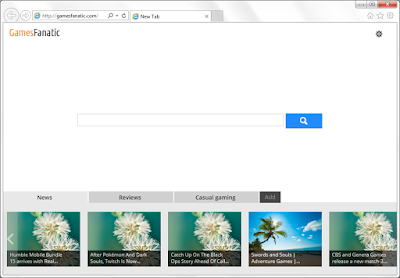
Gamesfanatic.com is classified as a browser hijacker. Though it looks like a common search engine, you should not be cheated by its simple design. This page can be brought when you install some freeware. They will make the modifications secretly and force you to visit Gamesfanatic.com instead of your default homepages like Google and Bing.


You will also see these possible symptoms

  • This page directs you to Yahoo search results, without letting you to use Yahoo directly.
  • The search results are limited. Ads and sponsored linked are added instead of helpful information.
  • There are shortcuts on the page, they may redirect you to sites with risks if you keep clicking blindly.
  • Unwanted programs including toolbars and plugins can be installed secretly without your permission.
  • Your browsers could be slowed down and lead to poor browsing experience.  

Negatives Traits of Vafoon Toolbar and The Ways to Remove It

What is Vafoon 


On its official homepage, Vafoon claims to be a helpful toolbar which offers several convenient services, including getting online games, finding recommended deals and local weather reporting. However, there are some unpleasant properties of this plugin, which make it a PUP (possible unwanted program).

Screen Shot of Vafoon donwload page 

2015-09-18

Ads by Trunk Of Savings - How to Stop Them from Disturbing Your Browsing?

What is Trunk Of Savings 


Trunk Of Savings is classified as an adware. Shopping fans can be attracted by its features of providing coupons and discounted information. For some users who do not do online shopping at all, this adware is not welcome. However, Trunk Of Savings is usually spread via freeware bundling. Most users have no idea about its existence until some symptoms are found:

  • Commercial ads are displayed frequently on the browsers instead of helpful coupons.
  • Your browsing will be redirected to some irrelevant sites.
  • Unnecessary programs will be brought without permission, it even leads to browser hijacking.
  • Unwanted information make the browsers speed slowed down in reloading.
Trunk Of Savings is not a virus but the inconveniences brought by it are really annoying. You should take actions to remove it to have a better browsing experience.

2015-09-17

How to Fix Browsers Hijacked by Zquirrel.com - Remove Browser Hijacker Easily

How did Zquirrel.com come?

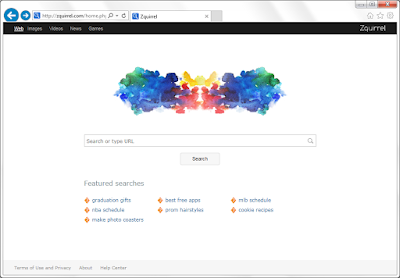
Zquirrel.com is classified as a browser hijacker, because it can lock your browsers' default homepages and redirected your browsing. When you install some dubious freeware, they can make some modifications to your browsers and lead to the browser hijacking. Trojans and other viruses can also bring it.


Reasons to refuse Zquirrel.com

  • Homepage hijacking. Like the majority of hijacker, Zquirrel.com will force you to visit its sites and use its search engine.
  • Low quality searching. This search engine offers limited search results. Ads and sponsored spams are displayed instead of helpful information. 
  • Unwanted plugins and toolbars. Users find unfamiliar sites are brought to their bookmarks and favorite folders without permission.
  • Redirects. Users' daily browsing can be redirected to unwanted sites, which contain dangerous features that will lead to various problems.

2015-09-16

Do Not Believe in protectyourasset.info Pop-up - See Through Call 844-252-4480 Scam

What is protectyourasset.info

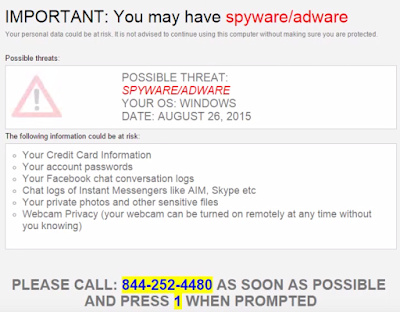
Protectyourasset.info pop-up can be seen on any browsers and any page you view. It says spyware or adware are detected and users need to call 844 252 4480 for tech support.


You should not be fooled. This is a bogus warning message, the so-called virus do not exist in your PC. Once you call the offered number, you will be required to pay for some removal tools or services. This is obviously a scam which targets inexperienced users. You need to remove all the malicious plugins and reset your browsers to stop the annoying pop-up permanently.


Efficient Steps to Remove TikiArcade Ads

Are there annoying ads displayed on your browsers?
How to get rid of them permanently?
Is TikiArcade.com safe?

Know more about TikiArcade 

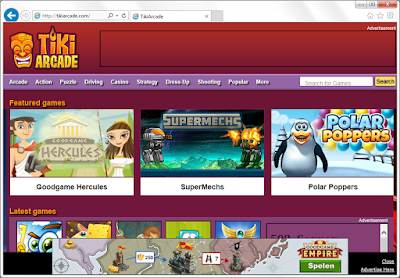
TikiArcade.com is a site offers free flash games. When you were enjoying the funny games on it, perhaps you did not know about the annoying problems brought by its related software. TikiArcade adware can be spread via freeware bundling. Once it enters your PC, you will see these problems:
  • Pop-up windows are displayed in the form of discounted deals and coupons.
  • Messages of fake virus detected reports are shown to mislead users.
  • Your browsers', even your computers' performance are slowed down.
  • Common ads are replaced with its associated ones.
It is proved that TikiArcade will modify your registry data to ensure its auto-starting together with the computer boots. You are suggested to get rid of all the related threats brought by TikiArcade in case of more inconveniences.


2015-09-15

Pop-up from Bestvideoplayer6.com Keeps Coming ? Remove Annoying Pop-up Step by Step

What is bestvideoplayer6.com

Bestvideoplayer6.com page is actually a malicious ad. It comes to your browser and trying to promote a video update. However users who download and install its files will only get unwanted programs.


It is proved that this ad is supported by the adware in your browsers. It offers a file named VideoPlayerSetup.exe to victims. This file' name is as misleading as the page domian Bestvideoplayer6.com which contains "best","video"and "player". The file will only bring malware or even trojans. Users' computer will be messed up by such unwanted programs. No matter if you download this file, the pop-up will never stop coming, because the adware had modified your browsers settings secretly.You need to remove all the malicious plugins in time.