2015-08-04

Be Careful about Problemsfound.com Pop-up - Rogue Scanner Removal Help

What is problemsfound.com

Problemsfound.com domain pop-up is tricky, its name mislead users effectively. Its pop-up can be seen on infected browsers including Firefox, Chrome and IE.
No matter what it says about your computers' security condition, you should not believe a word. This is a rogue scanner which offering fake detected reports. It mislead users to purchase its removal programs or services. Victims will pay for non-existed computer problems.What's more, its programs main contain trojans, if you are going to pay online, your financial information can be stolen, which leads to great loss.
Your browsers' setting can be modified without your permission, and such malicious pop-up comes as soon as you open your browser or a new tab. The modification was probably done by malicious sites you visited, or malware and trojans in your computer. Anyway, what you need to do is to remove the adware and clean up your browser in right ways.

ProductivityBoss Toolbar Removal Tips - Guide to Get Rid of Possible Unwanted Program

Know about ProductivityBoss

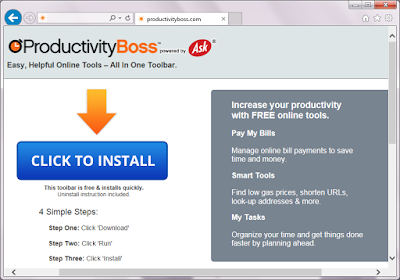
ProductivityBoss claims to be a free tool to offer convenient help in online bill paying, better price searching and some other functions. It  has different versions for popular browsers like Mozilla Firefox, Internet Explorer and Google Chrome. This plugin has an official homepage, while users probably get it bundled with third party freeware. You should know that this a PUP (potential unwanted program) for some reasons.


Once ProductivityBoss comes to your browser, it will probably modify your default homepage and search engine during installing. Users found that their default homepage was changed to home.tb.ask.com automatically. This search engine offers limited search result, users get less useful information. Ads and sponsor links will flood your browsers. What's more, the ads and sponsored links will redirect you to dubious sites, you may get unwanted programs download, it is possibly a chain to promote related products of the developer.


Avoid Downloadind from Free-fix-pc-now.be - Fake Flash Player Message Removal Tips

What is free-fix-pc-now.be

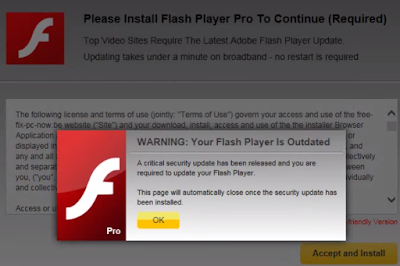
Free-fix-pc-now.be is not a real flash player recommendation message. Even though it has a tricky domain name including "Free","Fix" and "PC", it it not helpful at all to your computers. Actually, if you download what it offers, you will get unwanted programs instead of real player update. The programs are detected to be quite harmful. 


This message is provided by the adware on your browser. Obviously this adware try to earn pay-per-download revenue. Your browsers' setting can be modified without your permission, and such malicious pop-up comes as soon as you open your browser or a new tab. The modification was probably done by malicious sites you visited, or malware and trojans in your computer. Anyway, what you need to do is to remove the adware and clean up your browser in right ways.
Slolution of Istartsurf.com Hijacking - Remove Browser Hijacker with Efficient Methods

What is istartsurf.com

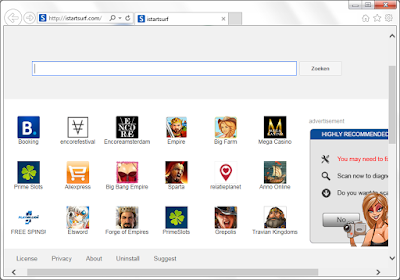
Istartsurf.com page is covered by different shortcuts of online games and software promotions, besides the obvious ads. It is hard to avoid clicking on them when this page was set as your default homepage. There are other reasons for you to get rid of this browser hijacker.


Istartsurf.com hijacker brings these inconveniences:
  • It will lock your default homepage as istartsurf.com and it's hard to reset.
  • It redirects users to Google search results, it takes extra time.
  • Strange sites comes to bookmarks together with the hijacker.
  • This hijacker may also bring unwanted programs since it has so many shortcuts.
  • You will be directed to dubious sites and get unwanted programs downloaded.
  • The hijacker also brings related adware, pop-ups can be seen on browser frequently.
Generally this hijacker comes if you had installed malware or got trojans in your computer, or some freeware may modify the browser settings to hijack your browser. If you read the rest of this article to get rid of the hijacker throughly.

2015-08-03

Remove Fake Waring Message - Dubious Pop-up Removal Instruction

What is bluegral.net Pop-up

Experienced users can easily distinguish bluegral.net from real warnings. However green hands may get panic when they saw the horrible information: System detected potential malicious viruses, your personal financial information is NOT SAFE. Call 1-877-712-2610 for tech support.


You keep a clear head. This is an ad brought by malicious adware. It leads users to call the given number, and the victims who do as it says will be required to purchase removal tools or services. The so-called virus do not exist in your computer. If you doubt about that, just use some reliable scanner instead of calling a dubious number.The pop-up comes frequently on infected browsers like IE Firefox and Chrome. That is because malicious codes had modified the browsers settings on the browser. You need to remove your browser to stop the annoying ads.

Remove Browsebit Ads Quickly and Permanently from Your Browser

What is Browsebit

Browsebit is an plugin which can be installed on common browsers. It advertises itself as a helpful shopping assistant, but you should know about some negative traits of it.


Browsebit ought to provide convenient service in search better deals for uses. However, this adware offers numerous ads instead of helpful information. Actually it keep trying to lead the users to click the sponsored ads.It will also probably use your search habits to deliver targeted ads. That’s why the ads are usually related to your concerned information and attract you a lot. Never try to click the ads even they looks helpful, otherwise you will be redirected to dubious sites and get unwanted programs downloaded.
The adware generally comes bundled with third party freeware as an addition. You should remove this adware and take actions to prevent similar unwanted programs.

2015-07-31

Remove Glass Bottle Adware in Best Ways - Instruction to Get Rid of Annoying Browser Ads

What is Glass Bottle

Glass Bottle ads troubles IE, Chrome and Firefox users. You may notice these ad appear on common sites you visit frequently. The ads affect the browsing experience badly, and there are some other programs caused by this adware.


This adware usually comes to your browser bundled with third party freeware. It can be installed as an additional tool, or hidden in some low-quality software center. Either way, users get it accidentally.

Glass Bottle aims to lead the users to click the ads, and benefit from the sponsors. To achieve its goal, this adware will probably use your tracking cookies to deliver targeted ads. That’s why the ads are usually related to your concerned information and attract you a lot. But you should never click the ads because they are mostly linked to dubious sites, you will get nothing useful but malware downloading. Computer security experts suggest that user should remove this adware as soon as possible.